
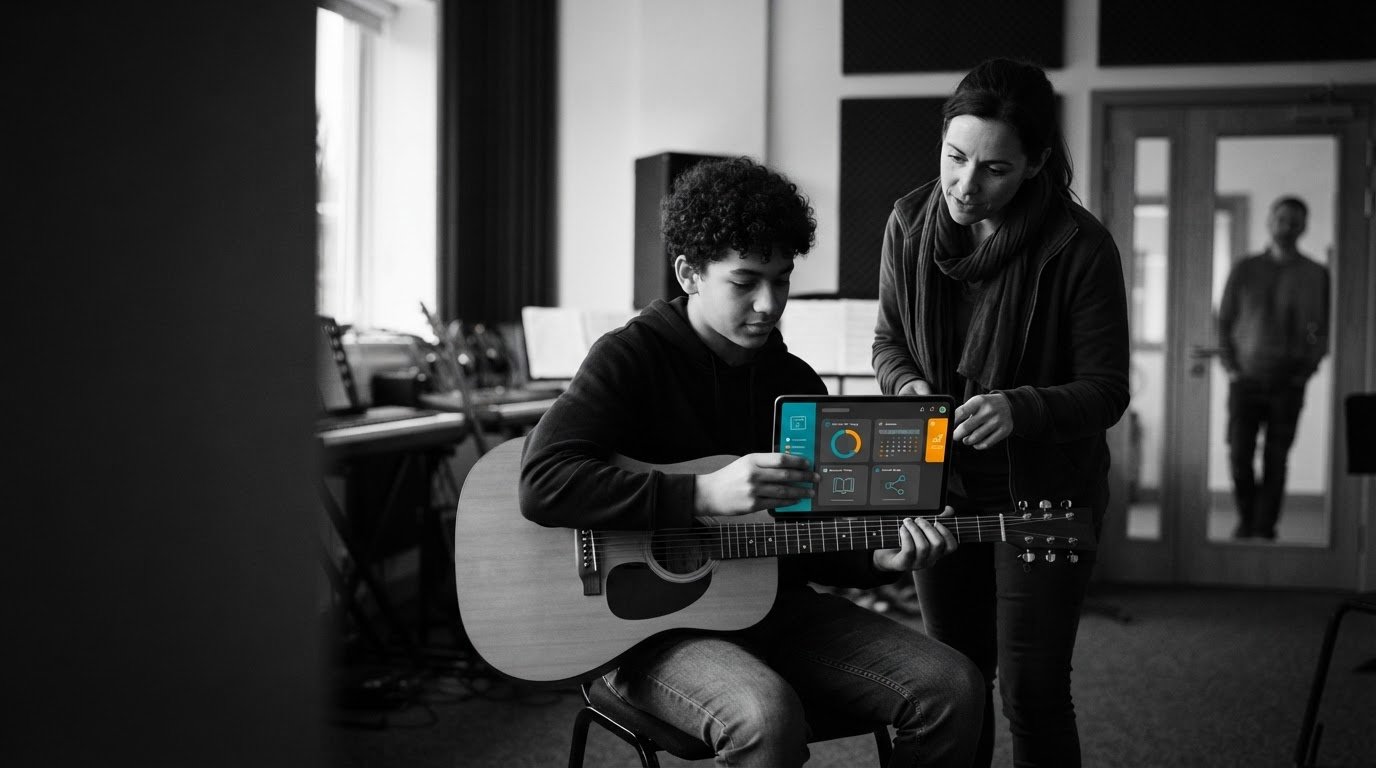
What if practice records helped students build better habits instead of becoming another task for you to chase? A student portal for practice logs gives learners a central place to record their work, while making progress easier for teachers and parents to follow.
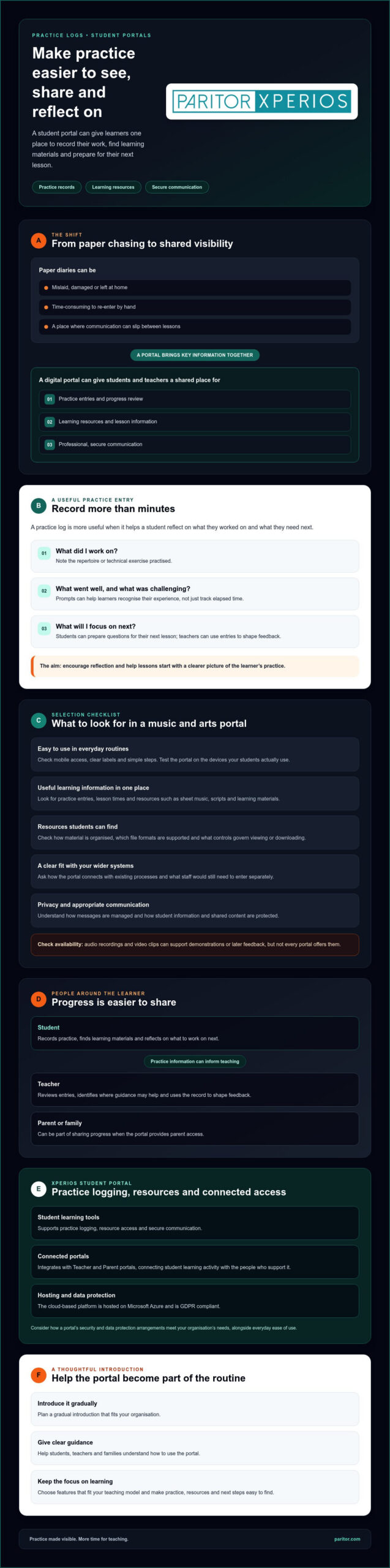
If you manage paper diaries, you’ll know how easily they go missing, how much time manual data entry takes and how communication can slip between lessons. A dedicated portal can bring practice logs, learning resources and secure communication together, helping students take greater responsibility and giving you more time to teach.
This guide explains what to look for in a portal, how digital logs can support student engagement and how teacher and parent access can make progress easier to share. It also covers Xperios Student Portal, which supports practice logging and integrates with Teacher and Parent portals. The cloud-based platform is hosted on Microsoft Azure and is GDPR compliant, so you can weigh everyday ease of use alongside how student information is handled.
Key Takeaways
- Assess how a student portal for practice logs fits learners’ routines and helps teachers use practice records.
- Compare features for music and performing arts, including mobile access, timetables and learning resources.
- Use practice records to encourage reflection on how students practise, not just how long they practise.
- Plan a gradual introduction, with clear guidance for students, teachers and families.
- Explore how Xperios Student Portal supports practice logging and connects with Teacher and Parent portals.
What is a Student Portal for Practice Logs?
A student portal is a digital hub where learners can access relevant learning information and record their practice. For a music service or performing arts organisation, it can bring practice notes, learning resources and communication into one place, rather than relying on separate paper diaries and messages.
A student portal for practice logs should do more than record minutes spent practising. It can help students note what they worked on, identify challenges and prepare questions for their next lesson. Teachers can use those entries to shape feedback, while students build the habit of reflecting on their progress. This makes expectations clearer and gives lessons a useful starting point.
Student portals sit within the wider category of educational technology described by a Virtual Learning Environment (VLE). A specialist portal focuses on the needs of music and performing arts learners, where practice between lessons is part of the learning process. Choose features that suit your teaching model, rather than a generic collection of links.
The Core Components of a Modern Student Portal
Useful features may include daily or weekly practice entries, access to sheet music, scripts and learning materials, and a clear view of lesson times. Some portals also support secure teacher and student communication. Together, these tools can help learners understand what to practise and where to find guidance, without creating extra administration for staff.
Check that the portal works well on the devices your students use and that schedules and resources are easy to find. Xperios Student Portal supports practice logging, resource access and secure communication. It integrates with Teacher and Parent portals, connecting student learning activity with the people who support it.
Why Digital Practice Logs Can Be More Useful Than Paper Diaries
Paper diaries can be lost, damaged or left at home. Digital records give students and teachers a shared place to review entries, reducing the need to chase missing books or re-enter handwritten notes. Depending on the portal, teachers may also be able to review updates between lessons and spot where a learner needs guidance.
Before choosing a system, check which types of entries it supports. Audio recordings or video clips can help students demonstrate a passage or capture practice for later feedback, but not every portal offers these features. Confirm how content is shared and protected, particularly when student information is involved.
Xperios is a cloud-based platform hosted on Microsoft Azure and is GDPR compliant. Consider how a portal’s security and data protection arrangements meet your organisation’s needs, as well as how easily students and teachers can use it. The right system can make practice more visible while leaving staff more time for teaching.
Key Features to Look for in a Music and Arts Student Portal
Choose a portal around the way your organisation teaches, not just the features it advertises. A useful student portal for practice logs should make it straightforward for learners to record progress, find the right material and know what to do before their next lesson. For younger students, clear labels and simple steps matter. If logging practice feels like another chore, they’re less likely to keep using it.
Check how the portal works on mobile devices. Students may need to review a timetable or open a resource away from a desktop, so test it on the devices they actually use. Ask how it connects with your wider systems, too. If you manage instrument inventory or exams digitally, establish whether the portal can share relevant information with those processes and what staff would still need to enter separately.
Practice Logs That Support Better Habits
Consider whether students can record more than elapsed time. A timer can help track duration, while goals linked to repertoire or technical exercises can make each session more purposeful. Prompts such as “What went well?” or “What will you focus on next?” encourage reflection and help teachers understand the learner’s experience. Research on logs as a tool for documenting practice offers context for considering how records can support reflection.
Resources Students Can Find and Use
A well-organised digital library should make relevant material easy to locate, whether students are looking for a particular instrument, difficulty level or learning goal. Check which file formats the portal supports, such as PDFs for sheet music, audio for listening tasks and video for demonstrations. For instrumental students learning from online performances, tools like Akordify can quickly turn video recordings into chord sheets to supplement their study materials. If you share teaching materials, ask what access controls are available and how they manage who can view or download each resource.
Communication, Privacy and Family Support
Look for communication tools designed for professional teacher and student contact, and ask how messages are managed. Check how the provider handles personal information under applicable data protection regulations, where the platform is hosted and what security measures are in place. Parent access can help younger learners stay supported, but confirm what information families can see and how access is controlled.
Xperios Student Portal provides practice logging, resource access and secure communication, and integrates with Teacher and Parent portals. It is hosted on Microsoft Azure and is GDPR compliant. To assess whether it fits your organisation, review Xperios Student Portal against your requirements for practice, resources, communication and system connections.
The Pedagogical Impact: How Practice Logs Drive Growth
Practice records are most useful when they show more than time spent. A student portal for practice logs can help learners describe what they worked on, which passage or technique felt difficult and what they plan to try next. This detail gives teachers a better starting point for feedback than a total of practice minutes alone.
Reflection can connect lessons with practice at home. A teacher sets a clear focus during the lesson, the student records their work between sessions, and both can review what happened together. Logs can become a tool for reflective practice, supporting more purposeful conversations about musical choices, rehearsal strategies and next steps.
Patterns may also prompt a timely check-in. Repeated notes about difficulty with the same technical exercise, or a gap in entries, could suggest that a student needs support. Treat these as cues for a conversation, not proof that a learner is disengaged. Changes in access, confidence or routine may all affect practice.
Make Progress Visible and Encouraging
Ask whether a portal can show milestones or practice history in a way that motivates students without turning learning into a competition. A learner might review progress on a piece over several weeks or recognise consistency in returning to a challenging section. If dashboards, streaks or rewards are offered, check that they encourage steady habits rather than focusing only on volume. Progress reports can help teachers and families recognise effort as well as achievement.
Give Teachers Useful Context Before Each Lesson
Reviewing entries before a lesson can help you adapt the plan: spend more time on a sticking point, extend a student who is ready, or ask what approach they tried at home. Across a cohort, recurring challenges may also help you decide which concepts need clearer explanation or another demonstration. The aim is not to replace a teacher’s judgement, but to reduce guesswork and make lesson time count.
Practice records may also support assessment preparation by showing which repertoire or techniques a student has been working on. Check how your systems connect before assuming that a log updates exam records automatically. Xperios offers a Student Portal and an Exams and Assessments Module. Learn more about the wider music service management software and how its components could fit your processes.
Xperios Student Portal integrates with Teacher and Parent portals, giving practice information a place within a connected view of learning. Explore how the Teacher Portal supports staff workflows, then decide what information teachers need to review and act on.
How to Implement a Student Portal in Your Organisation
A smooth launch starts with your current processes, not the software settings. Map how students record practice now, who reviews it and where delays or missing information arise. Then agree what a useful practice entry should include, such as the activity completed, a reflection or a question for the teacher. Clear expectations help students understand why they are logging practice and help staff use records consistently.
Plan for data integrity as you move from paper records. Decide which information needs to be transferred, check that entries are assigned to the right students, and set clear rules for who can view or update records. Review the provider’s data protection arrangements, including how its cloud-based platform is hosted and how access is controlled. Xperios is hosted on Microsoft Azure and is GDPR compliant, but you should still assess how its processes fit your organisation’s requirements.
A Practical Roadmap for Adoption
- Audit current methods. Identify what works, where paper records go missing and which tasks create repeat administration.
- Check system fit. Assess whether the portal connects with your performing arts school administration system. Confirm what information can be shared and what may still need manual entry.
- Prepare staff. Give teachers time to practise reviewing logs and agree how they’ll respond to entries before lessons. Keep guidance focused on everyday tasks.
- Test and gather feedback. Start with a pilot group if it suits your organisation. Ask students, parents and teachers what feels clear and what needs adjustment.
- Roll out with support. Share short tutorials and set a point of contact for questions as more learners join.
Help Students and Families See the Value
Explain the benefit in terms students recognise: one place to check practice tasks, record progress and prepare for their next lesson. Demonstrate the steps on a mobile device, then make the first entry together. Keep the initial routine simple so learners can build confidence before adding more detail.
Parents can support younger students when they understand how practice records fit into learning. Explain what you expect them to do at home and what information is visible to them. Xperios Student Portal integrates with Teacher and Parent portals. Review how the Parent Portal fits your communication and support processes.
Give your team time to learn and improve the process. To explore how Xperios Student Portal could fit your organisation, consider your adoption plan alongside its practice logging and connected access.
Xperios Student Portal for Practice Logging
A portal for music and performing arts needs to support the work that happens between lessons, not just provide a general student login. Xperios Student Portal is designed for performing arts and supports practice logging, resource access and secure communication. It forms part of a wider management platform and integrates with Teacher and Parent portals.
Xperios is offered alongside modules for areas such as instrument management, exams and assessments, and financial management. This gives organisations options to consider as their needs change. Before selecting a configuration, map your current processes and confirm which modules and connections support them. This helps avoid adding systems that don’t address a real administrative or teaching need.
Specialist Support for Performing Arts Learning
Practice routines vary by instrument, repertoire and learning goals. A student working on scales may need a different prompt from one preparing a vocal piece or drama scene. When assessing a portal, check whether practice-entry fields can reflect these differences and whether timetables can be kept current to help students prepare for lessons. Treat these as requirements to discuss with a provider, rather than features to assume are included.
If instrument loans are part of your service, consider how student records relate to your wider instrument inventory management processes. Confirm what information can be shared between systems and whether hire details need separate administration. Clear answers help you maintain accurate records without creating duplicate work.
Built with Music Services in Mind
Software works best when it reflects the routines of the people using it. Paritor describes Xperios as shaped by user insights, bringing experience from music and performing arts administration into its development. That focus matters to music services, where teaching, timetables, resources and communication need to work together without adding unnecessary steps for staff.
Xperios is a cloud-based platform hosted on Microsoft Azure and is GDPR compliant. These details can inform your review of security and data protection, alongside your organisation’s requirements for handling student information. Ask any provider how hosting, access and data handling work in practice so you can make an informed decision.
The aim is not to digitise paperwork for its own sake. A suitable student portal for practice logs can reduce the time spent chasing records and organising information, leaving teachers more room to focus on students’ creative development. Xperios Student Portal is a performing arts-focused option to assess against your organisation’s needs, including how it connects with Teacher and Parent portals.
Make Practice Progress Easier to Support
A student portal for practice logs can do more than replace paper records. It gives students a consistent way to reflect on practice, helps teachers prepare for lessons and brings learning information into a shared digital space. A portal designed for music and performing arts can also help connect practice with the resources and support students need.
For your organisation, the right system should reduce repetitive administration without adding complexity for learners or staff. Xperios Student Portal supports practice logging, resource access and secure communication, and integrates with Teacher and Parent portals. It is hosted on Microsoft Azure and is GDPR compliant. Paritor also states that Xperios can reduce administrative time by up to 40% and is trusted by leading UK music services.
See how the portal could fit your processes and give your team more time for teaching. Book an Xperios Student Portal demonstration today, and take a practical next step towards more organised practice and stronger student engagement.
Frequently Asked Questions
Is a student portal for practice logs secure enough for young learners?
Assess a student portal’s security and handling of children’s information before introducing it. Xperios is hosted on Microsoft Azure and is GDPR compliant. Also check who can view student records, how accounts are managed and what information is shared with families. Clear access arrangements and guidance for students and staff help support responsible use.
Can students upload video or audio files to their practice logs?
Check with the provider before assuming students can upload audio or video. Xperios Student Portal supports practice logging, resource access and secure communication, but its support for file attachments to log entries is not specified. If recordings are important to your teaching, ask about supported formats, file limits, access permissions and storage before choosing a portal.
How does the student portal sync with teacher timetables?
Xperios Student Portal integrates with Teacher and Parent portals, but specific timetable synchronisation functions are not specified. Ask whether timetable changes appear automatically in the student portal, how quickly updates are visible and which system is the main source of schedule information. These details matter if students rely on the portal to check lesson times or teachers work across several locations.
Will a digital practice log work for all instruments and performing arts?
Xperios Student Portal is designed for performing arts, making it relevant to organisations supporting music and arts learning. However, don’t assume every discipline or instrument uses the same logging fields. Consider what students need to record for different activities, such as repertoire, technique or rehearsal reflections, then ask how the portal supports those needs and whether the logging process can be adapted.
Can parents see the student practice logs in their own portal?
Xperios Student Portal integrates with Xperios Parent Portal, connecting student and parent access within the wider platform. The exact information parents can view is not specified, so confirm whether practice entries, resources or other learning details are visible and how access is controlled. Agreeing what families should see helps set clear expectations and involve parents in supporting practice at home.
What happens if a student forgets their login details?
Xperios’s password recovery process is not specified. Before launch, ask your portal administrator or provider how students can regain access, who can help verify their account and what steps protect personal information. Make the agreed instructions easy for students and families to find. Remind learners not to share passwords, and give staff a clear route for reporting access problems.
Does the Xperios Student Portal work on mobile phones and tablets?
Mobile compatibility for Xperios Student Portal is not specified. Ask the provider which devices and browsers are supported, then test common tasks on the phones and tablets your students use. Check that learners can sign in, record practice and find resources easily on a smaller screen. This helps identify access issues before the portal becomes part of their routine.
How long does it take to set up a student portal for a large music service?
There is no confirmed set-up timeframe for a large music service. The schedule may depend on your organisation’s requirements, the information you need to prepare, account set-up, any data migration and staff familiarisation. Ask the provider to outline the steps, responsibilities and decisions needed from your team. A clear implementation plan helps you prepare staff and students without setting an unsupported launch date.