

What if the right alternative to spreadsheets isn’t a complete overhaul? Spreadsheets can work well for a music school, but when schedules, attendance, payments and instrument records sit in separate files and messages, keeping everything aligned takes time. The best alternatives to spreadsheets for music school administration fit the way your team works, rather than adding complexity for its own sake.
This guide will help you recognise when spreadsheets are holding your administration back and compare practical options for different workflows. You’ll see what to consider when bringing timetabling, bookings, attendance, invoicing and instrument records into a more connected system, and how role-specific portals can give teachers, parents and students access to relevant information. We’ll also cover how to plan a manageable change so staff and families can adapt while keeping the focus on lessons and learners. Whether you need a focused tool or a music-sector cloud-based platform such as Xperios, the aim is the same: less manual administration and more time for teaching.
Key Takeaways
- Spot the signs that spreadsheet-based admin is creating extra work, from repeated updates to information that’s hard to keep in sync.
- Compare alternatives to spreadsheets for music school workflows, from improved spreadsheets and specialist tools to a connected platform.
- Assess options by how well they support day-to-day tasks, information sharing and music education workflows.
- Plan a manageable transition by choosing priorities first and moving one administrative workflow at a time.
- See how Xperios links scheduling, bookings, attendance, invoicing and instrument management to support connected administration.
When do spreadsheets stop working for music school administration?
Spreadsheets are a familiar starting point for music school administration. They’re quick to set up, easy to adapt and useful for organising information without introducing a new system. If one person manages a stable process and few details change, a spreadsheet may still be the right fit.
The pressure starts when information needs to move between people or records. A pupil’s lesson change might need updating in a timetable, attendance sheet and finance record. If those updates happen separately, a missed edit can leave staff with conflicting information. One mistake is different from a recurring pattern of errors, duplicated work or uncertainty about who owns the next step.
Music schools coordinate teaching, learners and practical arrangements, as reflected in the broad scope of Music education. The right administrative approach depends on how your school handles these connected workflows, not on how confident staff are with spreadsheets.
Warning signs in a growing music school
Look for recurring friction, rather than judging the process by a single mistake. These signs suggest manual administration may be taking attention away from other work:
- Staff copy pupil details between enrolment, timetable, attendance and finance records.
- Different versions of a file circulate, and it’s unclear which one has the latest changes.
- A routine update depends on one administrator remembering every person or record that needs to change.
- Staff spend time checking whether information has been updated instead of acting on it.
Each issue can seem manageable on its own. Together, they create repeated checking and reliance on individual memory. They can also make it harder to see who is responsible for updating a record or resolving a mismatch.
Connected administration is worth considering when routine changes repeatedly require manual updates across records, people or tools, and your team can’t easily tell which information is current.
What spreadsheets still do well
For a small, stable process with few hand-offs, a spreadsheet can remain clear and practical. It can help you organise a straightforward list or track information that only a few people update. A familiar tool isn’t automatically the wrong tool, and replacing it just because it’s a spreadsheet may add work without solving a real problem.
Assess the workflow instead. How often does information change? How many records and people are affected? Does someone need to enter the same detail more than once? If updates are occasional and responsibility is clear, your current approach may be sufficient. If repeated copying, conflicting versions or missed steps have become normal, it may be time to compare alternatives to spreadsheets for music school administration.
This is a workflow decision, not a judgement about staff competence. Ask whether your current process lets the right people keep information accurate without repeated manual checks. If it doesn’t, identify which part of administration would benefit most from a more connected approach.
What alternatives to spreadsheets can music schools consider?
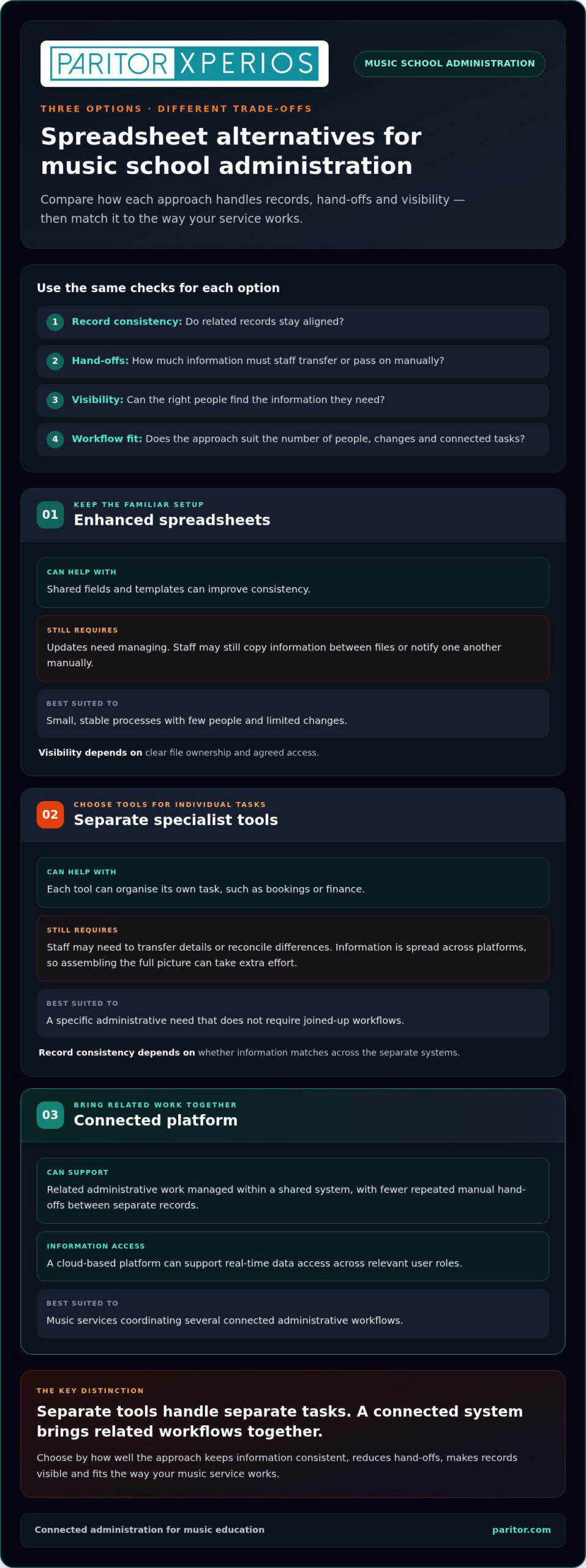
You don’t have to move straight from spreadsheets to a large management system. Practical alternatives range from improving your existing files to combining specialist tools or using a connected platform. Compare them by how well they keep records consistent, reduce hand-offs, make information visible and support the way your music service works.
| Approach | Record consistency | Hand-offs | Visibility | Best suited to |
|---|---|---|---|---|
| Enhanced spreadsheets | Shared fields and templates can improve consistency, but updates still need managing. | Staff may still copy information between files or notify one another manually. | Depends on clear file ownership and agreed access. | Small, stable processes with few people and limited changes. |
| Separate specialist tools | Each tool can organise its own task, but records may not match across systems. | Staff may need to transfer details or reconcile differences between tools. | Information is spread across platforms, so assembling the full picture can take extra effort. | Schools with a specific administrative need that doesn’t require joined-up workflows. |
| Connected platform | Related administrative work can be managed within a shared system. | Can reduce repeated manual hand-offs between separate records. | A cloud-based platform can support real-time data access across relevant user roles. | Music services coordinating several connected administrative workflows. |
Separate tools can be useful: a booking tool may handle bookings, while another system handles finance. But solving tasks individually doesn’t remove the need to reconcile related information. A booking change, for example, may still need to be reflected elsewhere by a staff member.
A collection of tools handles separate tasks; a connected management system brings related workflows together so information can be shared across them.
Improving an existing spreadsheet setup
Start by agreeing consistent field names, who owns each file and when updates should be made. Shared templates make records easier to compare and reduce differences in how staff enter information. They don’t automate linked workflows: someone still needs to carry a change through every relevant record. This can be a sensible approach if your needs remain limited and hand-offs are few.
Using a connected music service platform
Scheduling, bookings, attendance and invoicing are related parts of music service administration. Bringing them into a connected workflow can help staff work with current information instead of repeatedly joining details from separate records. Role-specific portals can also give teachers, parents and students access to relevant information. Choose an arrangement that connects the workflows your music service needs.
As you compare alternatives to spreadsheets for music school administration, focus on the hand-offs you want to simplify, not the longest feature list. Xperios music service administration brings scheduling, bookings, attendance, invoicing and instrument management into a cloud-based platform.
How should you compare spreadsheet alternatives for a music school?
Compare options against the work your team actually does, not the number of features on a product list. Start with a typical administrative change, such as a new booking or a timetable adjustment, and trace what happens next. Who needs to update information? Which records are affected? Where does someone have to check or re-enter details?
This gives you a practical way to judge alternatives to spreadsheets for music school administration: do they make essential tasks clearer and reduce avoidable hand-offs without adding steps your team doesn’t need? Use the same questions for each option so you can compare them fairly.
Match system capabilities to your daily workflows
List the records staff update most often, then note where the same information is entered more than once. Treat scheduling, bookings, attendance, invoicing and instrument records as distinct workflows, even if a change in one affects another. This helps you identify the specific task causing friction instead of assuming every part of your administration needs replacing.
Next, separate essential requirements from useful extras. An essential capability should address a recurring task or hand-off. A feature that doesn’t change how staff complete daily work may be less urgent. For each priority, ask:
- Which role needs to complete or view this task?
- What information must be available for the next step?
- How will you know the process is easier to manage?
For example, if attendance information is routinely re-entered after a timetable change, focus on how the alternative supports those connected tasks. If instrument records are the main concern, look at how the system helps you organise asset information and maintenance history. Keep the decision anchored to real work.
Assess access, security and future fit
Consider who needs access to which information. Staff, families and students have different roles, so access should suit the people using the system and the tasks they need to complete. Include data protection regulations in your evaluation: understand how information is handled, who can access it and what controls support appropriate use.
A cloud-based platform is hosted on remote servers, so authorised users can access it online rather than relying on one locally stored file. Hosting alone doesn’t tell you where data is held, so assess security and data handling separately and consider whether the arrangement fits your organisation’s needs.
Also think ahead. Your programmes, teaching arrangements or user groups may change, and the process that works for a small team today may involve more hand-offs later. Look for a suitable fit now, with room to support workflows you expect to develop, without choosing complexity for its own sake.
If you’re assessing wider operational needs alongside spreadsheets, consider how administrative workflows fit together across your organisation.
How can you move from music school spreadsheets to a new system?
A changeover is easier to manage when you decide what needs to improve before setting up a new system. You don’t need to move every record and process at once. Start with a defined workflow, prepare the information it relies on, then give staff time to learn and review the new routine before extending the change.
Use this sequence to keep the work focused and reduce disruption to day-to-day administration.
- Set priorities. Identify the recurring administrative task that causes the most friction. It might be recording attendance, managing instrument records or another process your staff handle regularly. Agree what you want to improve, such as reducing repeated entry or making responsibility for updates clearer. This gives the change a practical purpose beyond adopting new software.
- Map the current records and owners. List the spreadsheets and other records used in your chosen workflow. Note who maintains each file, who uses its information and how updates pass between people. This helps you see which records are active and where details may be duplicated, out of date or dependent on one person’s knowledge.
- Clean the information before planning a transfer. Check for duplicate entries, outdated details and inconsistent names or formats. Resolve obvious discrepancies with the relevant record owner, and agree which information should be carried forward. Tidier source records make it easier to establish a reliable working process in any system.
- Choose one manageable workflow. Keep the first change focused, for example on attendance or instrument records, rather than trying to move every administrative task together. Define where the process begins, who completes each step and what information is needed at handover. A clear scope makes it easier for staff to understand what is changing and what remains as it is.
- Explain responsibilities and let staff practise. Set out the new routine in plain language: who enters or updates information, when they do it and where colleagues find the current record. Give the people involved an opportunity to practise the selected workflow before relying on it as the everyday process. This can reveal unclear instructions or practical snags while they’re still manageable.
- Review, refine and then extend. After staff have used the process, ask what is clearer, what still requires extra work and where information is being missed. Make adjustments using their feedback, then decide whether the workflow is ready to become the normal process. Once it is working as intended, use the same approach to plan another area.
Keep change low-disruption by moving one defined workflow at a time, checking the records and responsibilities, then refining the process with the staff who use it. This helps you assess alternatives to spreadsheets for music school administration without asking the whole team to change every routine at once.
If you’re ready to plan a move towards connected music service administration, explore Xperios for Music Services as an option for bringing related workflows into one platform.
How can Xperios replace disconnected spreadsheets for music services?
Once you’ve identified which workflows need better coordination, a connected music-sector platform is one alternative to consider. Xperios is a cloud-based platform for music and performing arts services. It brings together scheduling, bookings, attendance, invoicing and instrument management, helping you manage related administration without relying on separate spreadsheets for every task.
The value depends on how those functions fit your work. A booking and its related schedule, for example, are part of the same administrative picture. Attendance and invoicing are further workflows that may need to be managed alongside teaching activity. Bringing these functions into one platform can reduce the need to maintain parallel records manually and give your team a clearer place to manage its work.
Bring music service administration into a connected platform
Scheduling supports the organisation of teaching activity; booking and attendance functions address the administration around lessons and participation. The financial management function supports invoicing, while instrument management helps organise asset information. These are distinct needs, but they can matter to the same service. You can assess Xperios against your priorities and consider whether connecting these workflows would simplify everyday administration.
Instrument records are especially useful when they extend beyond a basic list. The instrument lifecycle is the sequence from acquisition through loan and maintenance to retirement or disposal. Structured asset management that includes maintenance history helps you keep relevant information together over that lifecycle, rather than relying on scattered notes or records to understand an instrument’s history.
Give teachers, parents and students relevant access
Xperios offers a teacher portal, parent portal and student portal for these user groups. Role-specific portals give relevant users access to information through the platform, rather than relying only on passed-on updates. The information each person needs depends on your processes and how you organise access.
Xperios is hosted on the Microsoft Azure cloud platform and supports GDPR compliance. Cloud hosting provides online access to the platform, while your organisation’s own data protection responsibilities still apply. Consider your data protection regulations, internal processes and access needs as part of managing your system.
For music services weighing alternatives to spreadsheets for music school administration, Xperios offers connected functions alongside access for teachers, parents and students. The right choice still comes down to your priorities: which records need to work together, where manual hand-offs cause difficulty and what access different users need. If those needs match your direction, explore Xperios for Music Services to move towards more connected administration and make more time to support teaching.
Make space for more teaching
The right administrative system should support your school’s way of working, not create another layer of process. As you decide what to do next, focus on the change that would make the greatest practical difference to your team and learners. Start with one clear priority, then use it to guide improvements to how information is managed and shared.
Paritor provides Xperios, a cloud-based management platform for music and performing arts services. Its connected administration can support your next step towards simpler workflows.
Explore Xperios for Music Services and consider how it could support your music school administration. With a system that better fits your workflows, you can give more attention to the teaching and learners at the heart of your work.
Frequently Asked Questions
Can a music school use spreadsheets for attendance and lesson records?
Yes. A spreadsheet can work for a simple register if it records the details your team needs consistently. For example, use separate columns for the pupil, lesson date and attendance outcome, and agree how to mark a cancellation or an authorised absence. Keep information limited to the task, and make sure staff know how to interpret each entry. This helps the register remain useful for routine checks.
When should a music school replace its spreadsheets?
Consider replacing them when the next stage of your service requires a process your current setup can’t support reliably. For instance, introducing a new programme may call for different booking or reporting steps. Review the workflow before making that change: list what information it needs, who uses it and what the spreadsheet can’t handle. This lets you plan around a clear operational need rather than changing systems without a purpose.
Are shared spreadsheets suitable for several music school staff members?
They may be suitable, but access should match each person’s responsibilities. Before sharing a workbook, consider whether everyone needs to see or edit every field, particularly where pupil or family details are included. Agree who may make changes and how sensitive information should be handled under your organisation’s data protection procedures. If the sharing arrangements are difficult to manage, assess whether a system with role-appropriate access better fits your needs.
How can a music school prepare spreadsheet data before changing systems?
Map the spreadsheet headings to the information fields in the new system before moving records. For example, decide whether “class”, “lesson” and “session” mean the same thing across files, and identify a consistent pupil or instrument reference where available. Try a small sample first, then compare the result with the source records. This can reveal mismatched formats or missing fields early, without repeating a full transfer.
Can music school software help manage instrument maintenance history?
Yes. A suitable system can help staff record maintenance information against an identifiable instrument, making it easier to consult the record when planning its use or reviewing past work. As you assess this capability, consider which details your team needs to retain, such as the date and nature of maintenance, and who should update them. Clear recording practices help make the history useful to colleagues over time.
Is a cloud-based platform suitable for music school administration?
It can be, depending on how your team works and your organisation’s requirements. Consider whether staff have suitable internet access where they need to use the system, which devices they rely on and what arrangements apply if access is temporarily unavailable. Include your security processes and data protection regulations in the assessment. A platform’s cloud-based delivery is one factor in its suitability, not a substitute for reviewing those practical needs.
Can one system manage music lessons and instrument records?
Yes, a music service management system can support lesson administration and instrument records within the same software environment. To assess whether that arrangement suits you, trace a typical task in each area: for example, how staff schedule a lesson and how they identify an instrument for administration. Check that responsibilities and records remain clear for both workflows. The aim is to support related work without confusing lesson information with asset details.