
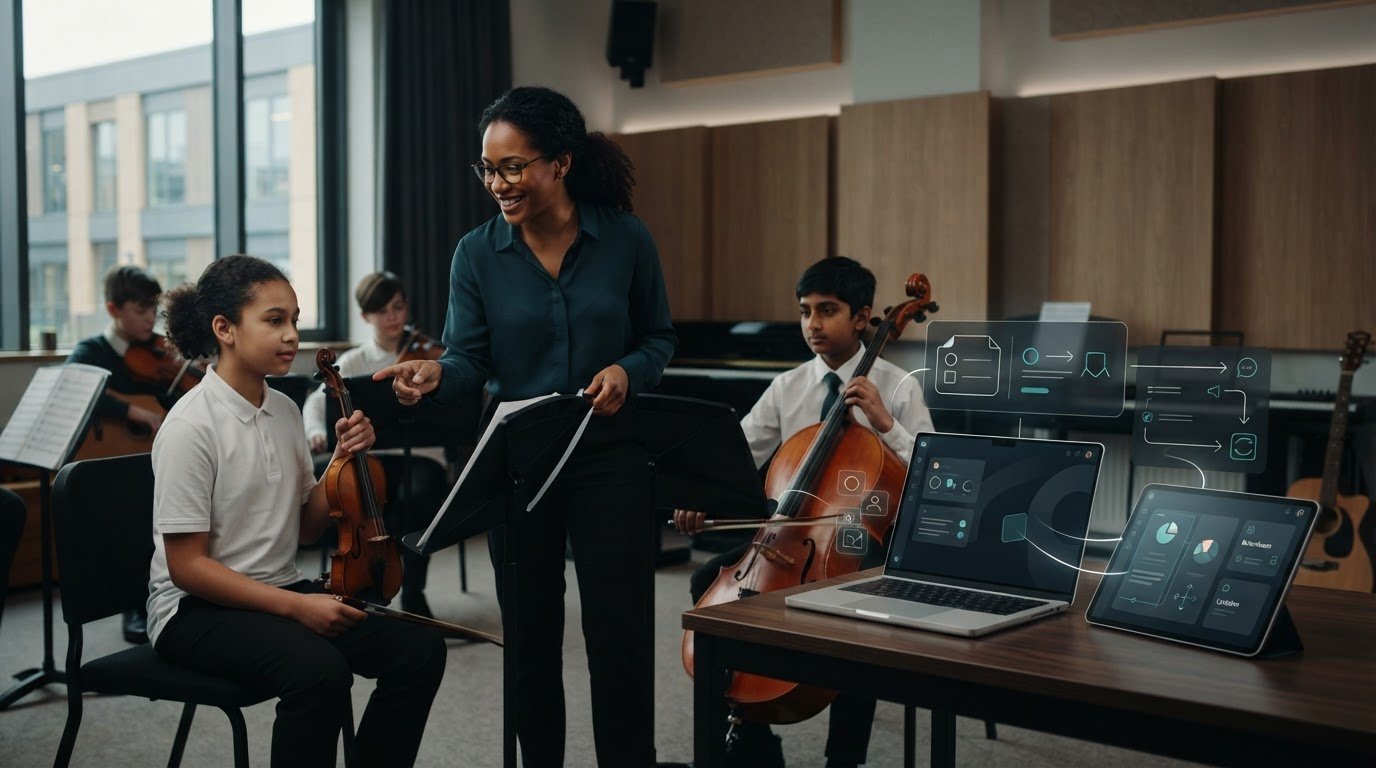
What if reducing teachers’ administration meant joining up existing processes rather than adding another disconnected tool? Balancing teacher workload with software starts with finding the repeated hand-offs: recording attendance, sharing updates and checking schedules across separate systems. When these tasks take attention away from lessons, the answer should make essential information easier to access, not create more work.
It’s understandable to be cautious about introducing a new system when staff are already busy. Start with teachers’ day-to-day needs, then address repetitive tasks in manageable steps. Their input can help shape a workflow that works in practice.
This article explains how to spot avoidable administration, compare software approaches and assess whether a tool can bring schedules, bookings and attendance into a more connected process. Xperios for Music Services brings these functions together with a teacher portal where staff can access up-to-date service information. Xperios is a cloud-based platform hosted on Microsoft Azure, with GDPR compliance. The aim is practical: make information simpler to manage and help you give teachers more time to focus on teaching.
Key Takeaways
- Map recurring administration around timetables, bookings, attendance and learner updates to see where teachers’ time goes.
- Look for connected scheduling, booking and attendance processes that can reduce duplicate updates, rather than add another disconnected tool.
- When comparing options for balancing teacher workload with software, assess how well they fit music tuition workflows and what manual steps teachers will still need to complete.
- Introduce change in manageable steps: focus on one administrative pressure and involve teachers as you plan the rollout.
- Explore how Xperios brings scheduling, bookings and attendance tracking together with a teacher portal for service information.
Where does teacher workload build up in music services?
Teaching in a music service involves more than preparing lessons and supporting learners. Teachers may also need to check changing timetables, confirm lesson details, record attendance, share progress updates and respond to routine queries. Each task can be reasonable on its own. The pressure builds when information has to be entered, checked or passed on repeatedly before a teacher can return to teaching.
Some work is central to the teaching role: planning lessons, assessing progress and following up on a learner’s needs. Other tasks are administrative hand-offs. A teacher might record attendance in one place, then send the same information to an administrator or update a separate record. Meanwhile, central staff may coordinate bookings, manage timetable changes and share service-wide information. Clear responsibilities help you see where a task belongs and where a process makes both groups repeat work.
Which recurring tasks take teachers away from teaching?
Look at the steps around a lesson, not just the lesson itself. A teacher may need to confirm where and when a session is happening, check for a timetable change, mark attendance and send a learner update. If details sit in separate records or arrive through different channels, staff can spend time checking which version is current. Educational technology covers tools and approaches that support teaching. In a music service, the practical question is whether those tools simplify the work around tuition as well as the lesson itself.
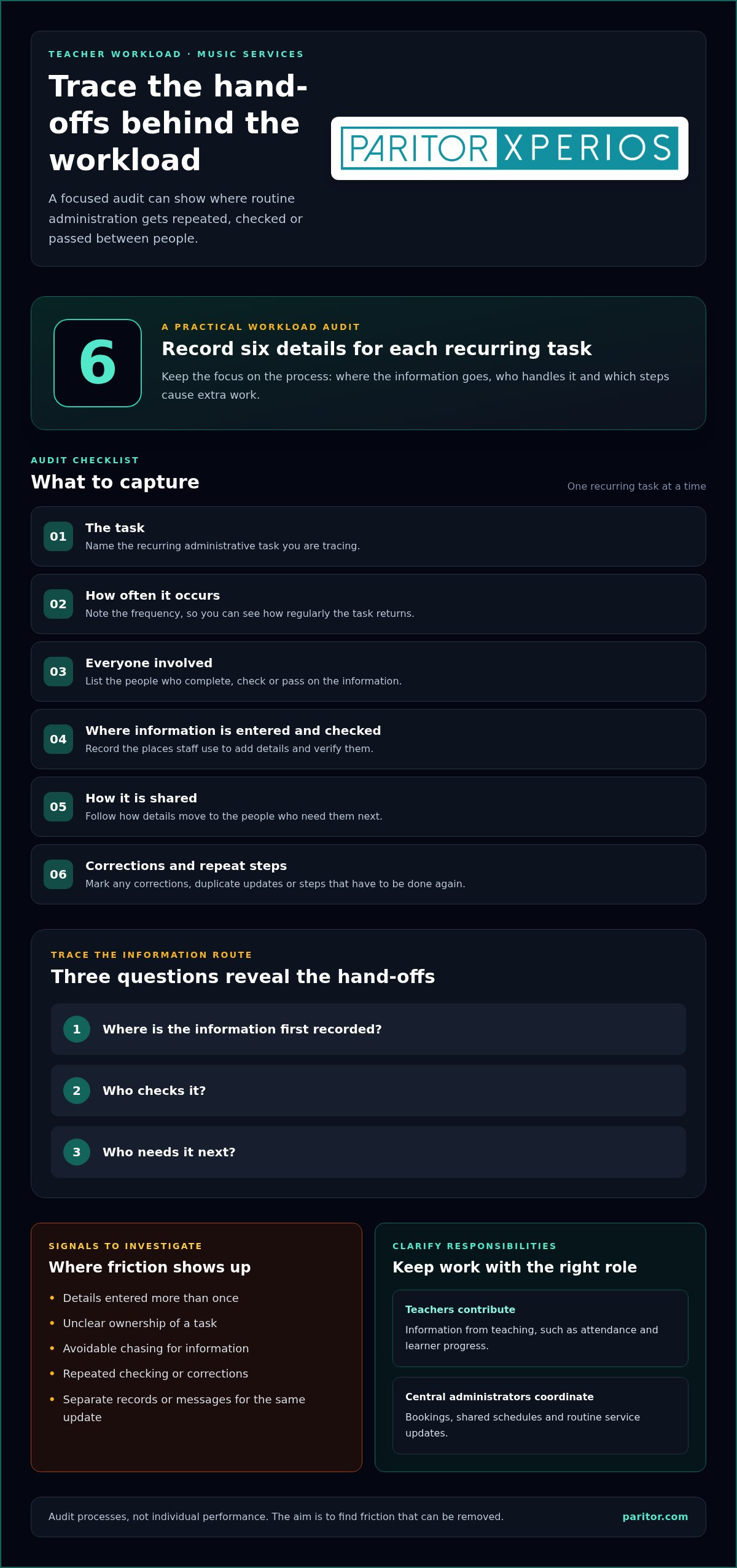
Teachers should contribute information that comes from their teaching, such as attendance or progress. Central administrators can take responsibility for coordinating bookings, maintaining shared schedules and distributing routine service updates. The right division depends on how your service operates, but duplicated entry and unclear ownership are useful signs to investigate.
How can you identify the biggest workload bottlenecks?
Ask teachers which tasks interrupt lesson preparation, teaching time or follow-up, then trace what happens to the information involved. Where is it first recorded? Who checks it, who needs it next, and does anyone have to correct or re-enter it? This shows whether the burden comes from the task itself or from the route information takes between people and records.
A useful workload audit records each recurring task, how often it occurs, everyone involved, where information is entered and checked, how it is shared, and any corrections or repeat steps in the current process.
Keep the audit focused on processes, not individual performance. Its purpose is to find friction that can be removed, such as repeated updates or avoidable chasing. This gives you a practical starting point for balancing teacher workload with software: identify the hand-offs that take time, then consider how to simplify them without shifting unnecessary work onto staff.
How can software reduce music teachers’ administrative workload?
Workload software can bring recurring administration around teaching into a more connected process. Instead of handling timetable details, bookings and attendance through separate records and repeated messages, staff can work from shared information. The aim is to reduce duplicate entry and information chasing, not to automate the parts of teaching that rely on professional judgement.
For example, a booking can be linked to scheduling information so the relevant lesson details are available to the people who need them. After the lesson, attendance can be recorded through the service’s established process, rather than passed along through another round of messages or copied into several records. Fewer hand-offs can make routine administration easier to follow. The benefit depends on how well the software reflects your service’s workflows.
What should a teacher portal make easier?
A teacher portal is a mobile-responsive interface for teacher tasks and service information. It can give teachers real-time data access to relevant details without relying on repeated manual updates from administrators. For a music service, the portal should support access to information teachers need, while the platform supports processes such as scheduling, bookings and attendance tracking.
Keep the purpose clear: a portal supports access and administration, but it doesn’t replace a teacher’s knowledge of a learner or the relationship built in lessons. Teachers still make decisions about teaching, respond to individual needs and interpret progress. Software should make routine records easier to manage so those professional responsibilities remain the focus.
How do connected workflows help prevent repeat administration?
Consider a lesson change. Scheduling information is updated in the system, and the teacher can access relevant service information through the portal. Once the lesson has taken place, attendance is recorded through the service’s attendance process. When information is shared appropriately across connected workflows, staff are less likely to request details that are already held in the system.
Clear, accessible information reduces administrative friction by limiting the need to chase, check and repeat updates. That principle aligns with wider workload-reduction guidance: the Department for Education’s teaching blog describes approaches that have tackled workload and improved staff wellbeing. For music services, balancing teacher workload with software means choosing connected processes that help staff spend less effort passing information around and more attention on learners.
If you’re considering how these workflows could fit your service, explore music service management software as a way to bring scheduling, bookings, attendance and teacher information together.
How should you compare software for balancing teacher workload?
Use the workload audit as your comparison brief. A long feature list won’t tell you whether a system removes the repeated steps that interrupt teaching. Assess how well each option supports music tuition workflows, including teacher access, scheduling, bookings and attendance. Then note what work teachers and administrators would still need to do.
The School Workload Reduction Toolkit offers guidance for identifying and addressing workload pressures. Apply the same practical focus when reviewing software: look for a clear link between a known administrative task and a simpler process.
| Current process | Software support to assess | Teacher effort | Remaining manual steps |
|---|---|---|---|
| Timetable details are shared through separate records or messages. | Can scheduling information be managed and accessed in one workflow? | How does a teacher find the details they need? | Which changes still need separate updates? |
| Bookings require repeated checking or confirmation. | Does the system support the booking process used by your service? | Does the teacher need to re-enter or chase booking information? | Who handles exceptions or changes? |
| Attendance is recorded and then passed on or copied elsewhere. | How does attendance tracking fit with the existing process? | How many steps does recording attendance involve? | Does anyone still need to transfer or verify the record? |
| Teachers ask administrators for service information. | Can a teacher portal provide access to relevant information? | Is it straightforward for staff to use in their day-to-day work? | What information must still be requested or shared separately? |
Which software capabilities matter most to teachers?
Prioritise capabilities that address a task teachers currently repeat, chase or manage across separate processes. Check whether the teacher portal gives staff access to the information they need, and assess scheduling, bookings and attendance against your audit. Separate essential workflow needs from optional features that don’t solve a specific problem.
Also consider usability, staff adoption, how the software fits existing processes and the support available. Review how data is handled and what information security and data protection arrangements are described. A system should fit your service’s working practices, not require teachers to maintain an additional parallel process.
How can you tell whether software will add or remove work?
Map the proposed process from start to finish before making a decision. List each new step, who completes it and whether it replaces an existing task or sits alongside it. Involve teachers in demonstrations and use familiar scenarios, such as checking a lesson detail or recording attendance. Their feedback can reveal extra steps, unclear hand-offs or missing information before adoption.
Balancing teacher workload with software means comparing the work left after implementation, not simply counting features. To explore software designed for music services, see music service management software.
How can you introduce workload software without burdening teachers?
A new system can feel like another task if staff have to maintain it alongside existing records. Introduce it as a practical change to a specific process, with teachers involved from the start. A staged approach lets you test whether the new workflow removes duplication before changing other parts of the service.
- Map the task. Use your workload audit to identify where information is entered more than once, chased or passed between people. Agree who owns each step now.
- Choose one focused workflow. Start with a clear administrative pressure, such as sharing lesson scheduling information or recording attendance. Avoid changing every process at once.
- Involve teachers. Ask staff who carry out the task what interrupts their work and what a clearer process would look like. Test the proposed steps against familiar situations.
- Prepare the information. Before using the new workflow, decide what records it needs and who is responsible for checking them. Include access and data protection requirements in your planning.
- Train, then review. Offer concise guidance on the steps teachers need to complete and how the system fits their existing responsibilities. Set a review point to gather feedback and refine the process.
How can you involve teachers in choosing and testing a system?
Invite teachers to describe high-friction tasks in their own words, then test realistic scenarios together. For example, ask them to follow how they would find a lesson detail or complete an attendance record. Note whether the information is clear, how many steps are involved and where questions arise. Share the feedback and explain which workflow changes it informs, so staff can see how their input shapes the process.
If timetable coordination is the main pressure, make that the focus of the trial. For services managing teachers across multiple schools, consider how peripatetic teacher timetables account for the information teachers need to plan and follow their working day.
What should you review after introducing a new workflow?
Return to the original workload audit and compare it with teachers’ experience of the new process. Ask whether staff are making fewer repeated updates, receiving fewer requests for information and finding task ownership clearer. Check for new steps or workarounds, too. Don’t claim time savings unless your organisation has collected evidence. Staff feedback can still show where friction remains and what to adjust.
Balancing teacher workload with software works best when the process is shaped around staff needs and reviewed after introduction. Explore Xperios for Music Services as you consider a software approach for your music service.
How can Xperios support a better balance for music teachers?
Once you’ve identified where administration builds up and what a suitable system needs to support, assess Xperios against those needs. Xperios for Music Services brings together scheduling, bookings and attendance tracking, with a teacher portal for access to service information. The value lies in how these workflows fit your service and reduce the need for teachers to navigate disconnected processes.
Which Xperios workflows can support teachers and administrators?
Scheduling and booking information can be managed within the platform, while teachers can access relevant service information through the portal. This gives your team a practical basis for considering how lesson details reach teachers and where repeated updates may be reduced. Attendance tracking supports lesson administration, while teachers remain responsible for the professional work of teaching and supporting learners.
A connected platform doesn’t remove every administrative task, and the impact depends on how your service uses its workflows. Use your workload audit to identify which steps could be brought together and which responsibilities should remain with teachers or administrators. That distinction helps keep the process useful, rather than adding new steps alongside old ones.
Xperios is a cloud-based platform hosted on Microsoft Azure, with GDPR compliance. As you review a system, consider how its hosting and data protection approach fits your organisation’s requirements, alongside day-to-day usability for teachers and administrators.
How can a music service take the next step?
Start with the tasks staff have already identified. Compare those needs with the scheduling, booking, attendance and teacher portal workflows, then consider how they could fit your current processes. Involving teachers in that review helps you assess whether the information they need is accessible and whether a proposed workflow addresses a real administrative pressure.
For wider context, read the music service management software guide when considering platform requirements beyond individual teacher tasks. You can also use the audit to identify which Xperios modules best match the needs raised by your staff, rather than choosing features without a clear purpose.
Balancing teacher workload with software is about making routine administration easier to manage, so teachers can give more attention to teaching. Explore Xperios for Music Services to see how its workflows could support your music service.
Make room for more teaching
Reducing administrative pressure starts with identifying repeated tasks and hand-offs, then choosing software that fits how your music service works. A short workload audit helps you focus on the steps that interrupt teaching, while staff input and a manageable rollout can make changes easier to adopt.
That’s the practical value of balancing teacher workload with software: simplifying routine processes without replacing teachers’ judgement or the relationships they build with learners. Xperios supports music service scheduling, bookings and attendance tracking, with a teacher portal that gives staff access to real-time information. It’s hosted on Microsoft Azure, with GDPR compliance.
Use your team’s priorities to assess how these workflows could fit your service and help teachers give more attention to teaching. Explore Xperios for Music Services and take a considered next step towards a clearer, more connected way of working.
Frequently Asked Questions
How can software reduce teachers’ workload?
Software can reduce repeated administration by bringing related teaching-service processes into a more connected workflow. For example, scheduling, bookings and attendance tracking can be managed through one platform rather than separate records and repeated messages. A teacher portal can also give staff access to up-to-date service information. The aim of balancing teacher workload with software is to remove unnecessary duplication while leaving teaching decisions and learner relationships in teachers’ hands.
What tasks can teacher workload software help manage?
Depending on the system, it can support scheduling, bookings and attendance tracking, as well as access to service information through a teacher portal. These functions can help music services organise lesson administration and make relevant details easier for staff to find. Before choosing software, list the tasks your team needs to manage and identify which steps involve repeated entry, checking or chasing. Then compare those needs with the system’s functions.
Will introducing software create more work for teachers?
It can create extra work if teachers must maintain the new system alongside existing records or learn unclear processes without support. Reduce that risk by starting with one defined administrative task, involving teachers in testing the workflow and explaining which existing steps it replaces. Provide concise guidance and ask staff to report confusing or duplicated steps. Review their feedback before extending the change, so the process can be adjusted around real teaching responsibilities.
How should a music service choose software for teacher workload?
Choose software against the workload problems your staff have identified, not by feature count alone. Compare how it supports scheduling, bookings, attendance and teacher access with your current process, including the manual steps that would remain. Consider ease of use, staff adoption, fit with existing workflows, data protection and available support. A simple comparison based on real music tuition tasks can help you see whether a system addresses a practical need.
Can a teacher portal help reduce administrative workload?
Yes, a teacher portal can make relevant service information easier to access, reducing the need to request routine details from colleagues. In Xperios, the teacher portal provides access to real-time information, while the platform supports scheduling, bookings and attendance tracking. The portal’s value depends on whether it gives teachers the information they need for their work. It supports administration, but doesn’t replace professional judgement, lesson preparation or communication with learners.
How can software support peripatetic teachers?
Software can support peripatetic teachers by making scheduling information easier to organise and access across their teaching commitments. When assessing a system, consider how teachers find current lesson details and how changes are shared, as well as any manual coordination that remains. Don’t assume a general timetable feature covers travel, room or rotation needs. Map those requirements with staff first, then assess whether the software fits the way your service coordinates teaching across locations.
How can you tell whether workload software is working?
Compare the original workload audit with teachers’ experience after the new workflow is in use. Ask whether repeated updates, information requests or uncertainty about task ownership have reduced, and note any new steps or workarounds. Gather evidence before making claims about time saved. Staff feedback can show where the process is clearer and where it needs adjustment. Regular review keeps the focus on reducing administrative friction and supporting more time for teaching. To explore how Xperios for Music Services can support your workflows, visit Paritor.